Free
$0
Everything you need to lock a rabbit hole and make the minutes that open it. Free stays free.
- Make and spend minutes
- Two rabbit holes of each kind
- One zone and one checkpoint [confirm]
- The Quick sum pause [confirm]
 Up For Air
 is an iPhone app that locks the apps you fall into. You make minutes in the real world, spend them when you like, and come back up at a time you choose.
iPhone app · iOS 18 or later
The whole app, in three sentences.
Choose the apps, categories, and websites that take your time. Screen Time keeps them locked until you choose to open one.
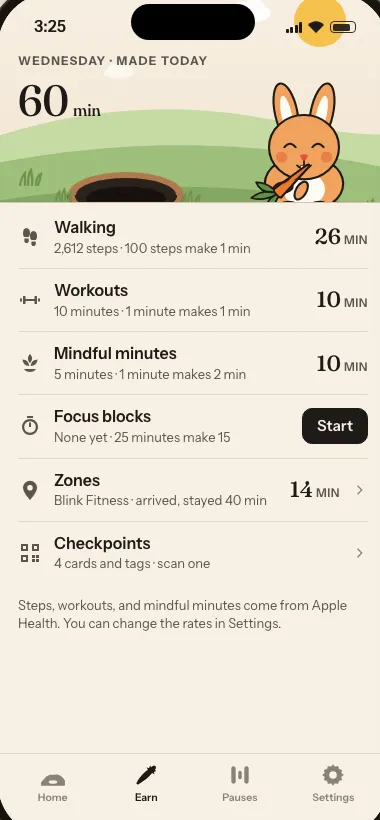
Steps, workouts, mindful minutes, focus blocks, and arrivals at places you choose all make minutes. A focus block needs nothing at all.
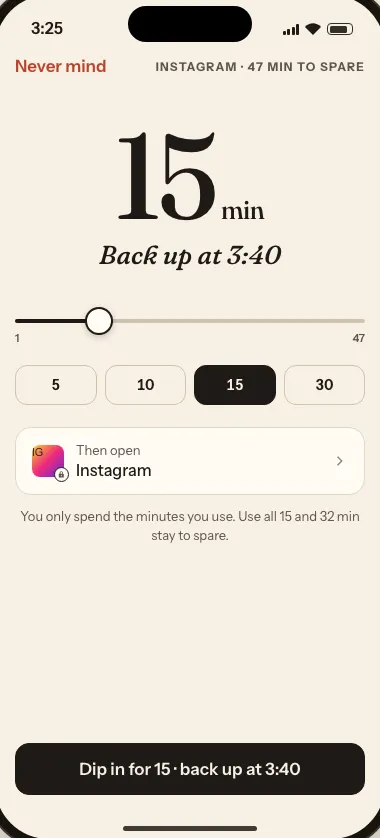
Open a locked app and choose how long. Up For Air shows the clock time you come back up, opens the app, and locks it again when that time comes.
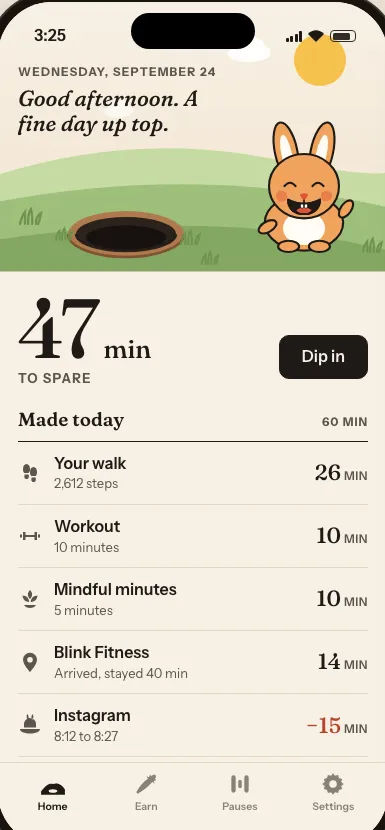
Home lists what you did today, the minutes each activity made, and the total you have to spare. The numbers never scold.
Put your phone down for 15, 25, 45, or 60 minutes. The minutes arrive when the timer ends. Stop early and you make nothing.
A zone is a place that makes minutes when you arrive, like the gym or the library. Arriving makes 10 minutes, and every 10 minutes you stay makes 1 more. You can change both numbers for each zone.
A checkpoint is a printed QR card or an NFC tag that does one thing when you scan it. It can start a focus block, stop one, count your arrival at a zone, or end a session. Stick it where the habit lives.
Seven suns, each sized by the minutes you made that day. A rest day is a small dot. There is no chain and nothing to break.
A Live Activity counts down the session. Widgets show your minutes to spare. Control Center and Siri can start a focus block or end a session.
You name the bunny when you set up the app. It lives on the hillside at the top of Home, and its mood follows your day. During a session it waits in its hole.
Up For Air is an iPhone app for the apps you fall into. You choose your rabbit holes, and Screen Time keeps them locked. The things you do in the real world make minutes: a walk, a workout, mindful minutes, a focus block with your phone down, or arriving at a place you chose.
When you want to open a rabbit hole, you choose how long. Up For Air shows the clock time you come back up, opens the app, and locks everything again when that time comes. If you come back early, the minutes you did not use stay to spare.
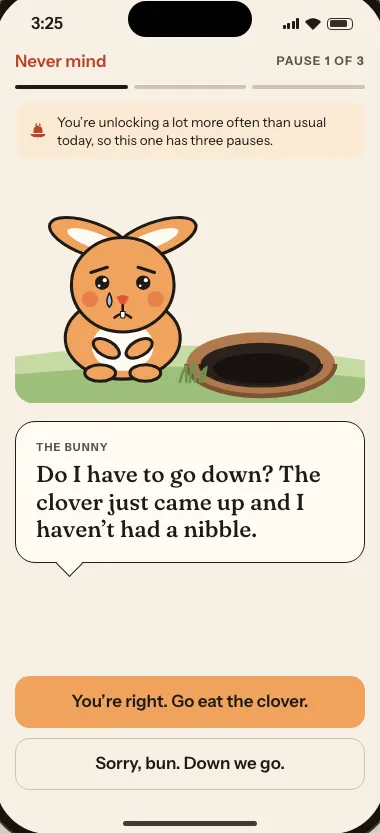
A bunny lives on the hillside at the top of the Home screen. You name it when you set up the app. It waves on a usual day, thinks when you have nothing to spare, and waits in its hole while a session runs. If you turn on the Guilt trip, it asks you to stay up top before you dip in. You decide.
Up For Air is in development. A TestFlight beta comes first. Follow along here, or get in touch if you want to hear about it.
The full privacy policy for Up For Air says exactly what the app stores and where it goes.
$0
Everything you need to lock a rabbit hole and make the minutes that open it. Free stays free.
A yearly or monthly subscription with a free trial. Prices come from the App Store and will appear here when the app is on it.
[confirm the trial length and the rows marked confirm. The copy deck and the code disagree, and the note feature is designed but not built yet.]
A TestFlight beta comes first. When there is a link, it will appear on this page.
Screen Time is what keeps the locks real. Up For Air adds the part Screen Time does not have. Your real-world activity makes the minutes, you choose how long, and you come back up at a clock time.
Setup stops until you allow it, because nothing else keeps your rabbit holes locked. If your device cannot run Screen Time at all, the app runs in practice mode, where your rabbit holes are locked on the honor system.
No. Screen Time lets the app lock an app and unlock it. It does not show the app what you do inside.
Yes. You spend only the minutes you used, and the rest stay to spare. Your rabbit holes lock again right away.
There is a free tier that locks two apps, two categories, and two websites, and it makes and spends minutes the same way as Premium. Premium is a subscription with a free trial, and it adds unlimited rabbit holes and more.
Up For Air is in development. This page will update as it gets closer.
Questions go to info@temperanda.com. Read the support page or the privacy policy.